BarberCo
BarberCo.Management
The staff-facing admin app
The management app is a Blazor WebAssembly dashboard built with MudBlazor — the tool staff use to run the shop day-to-day. It covers appointment scheduling, business hours, services, and barber management, all behind JWT login with role-based access (admin vs. barber).
It's packaged as an installable Progressive Web App, so it loads fast, works on mobile, and keeps the schedule available even when connectivity drops.
- Blazor WASM
- MudBlazor
- C#
- PWA
Live site
Visit the deployed app in your browser.
Try it live
Pick a role — the login form opens with credentials already filled in. Just click Login.
Features
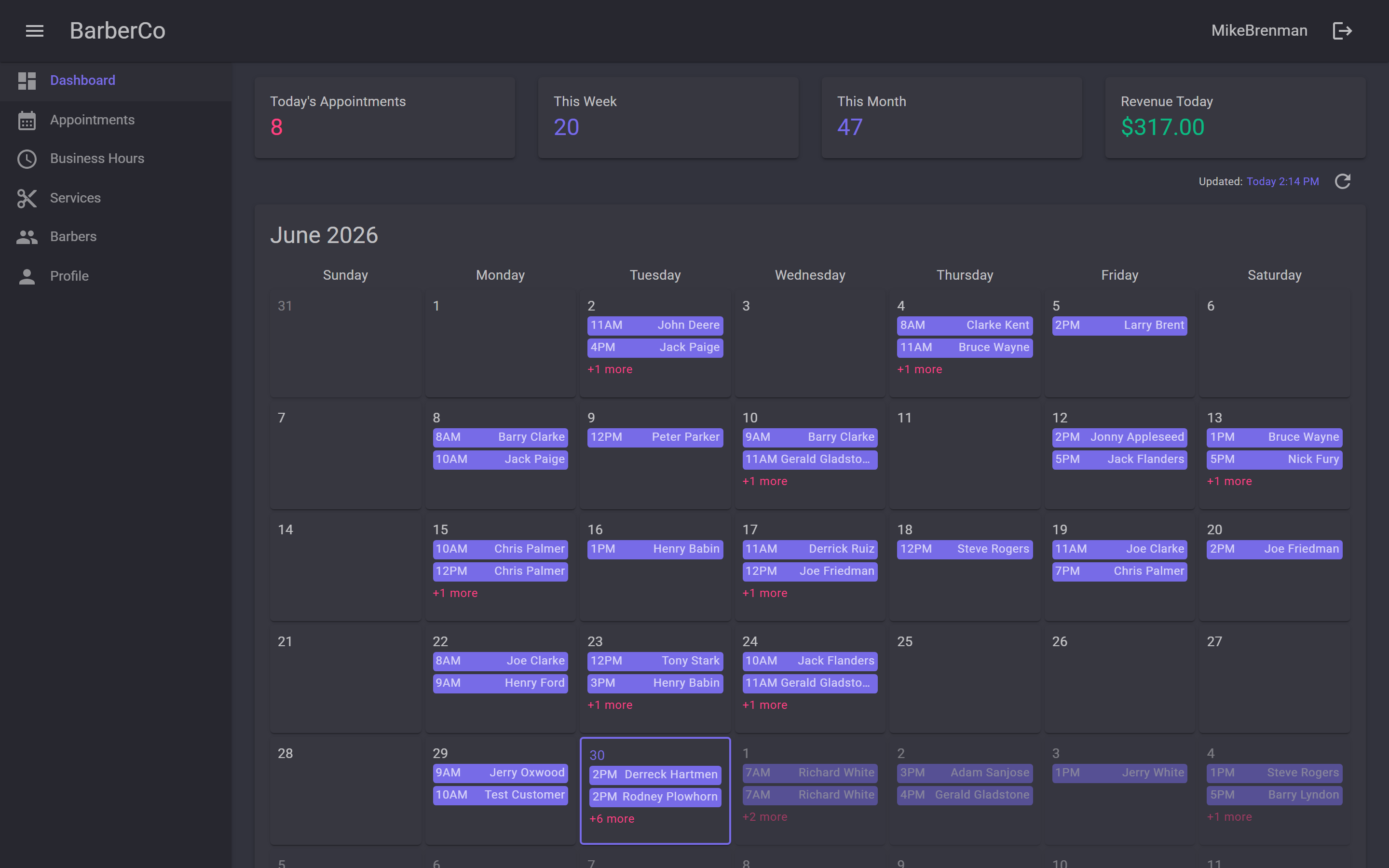
Dashboard at a glance
After logging in, staff land on a dashboard that surfaces the numbers that matter: today's appointment count, the week and month totals, and revenue for the day. Below that, a full-month calendar shows every booking at a glance — each day lists appointment times and customer names, with a "+N more" indicator when the day is packed.
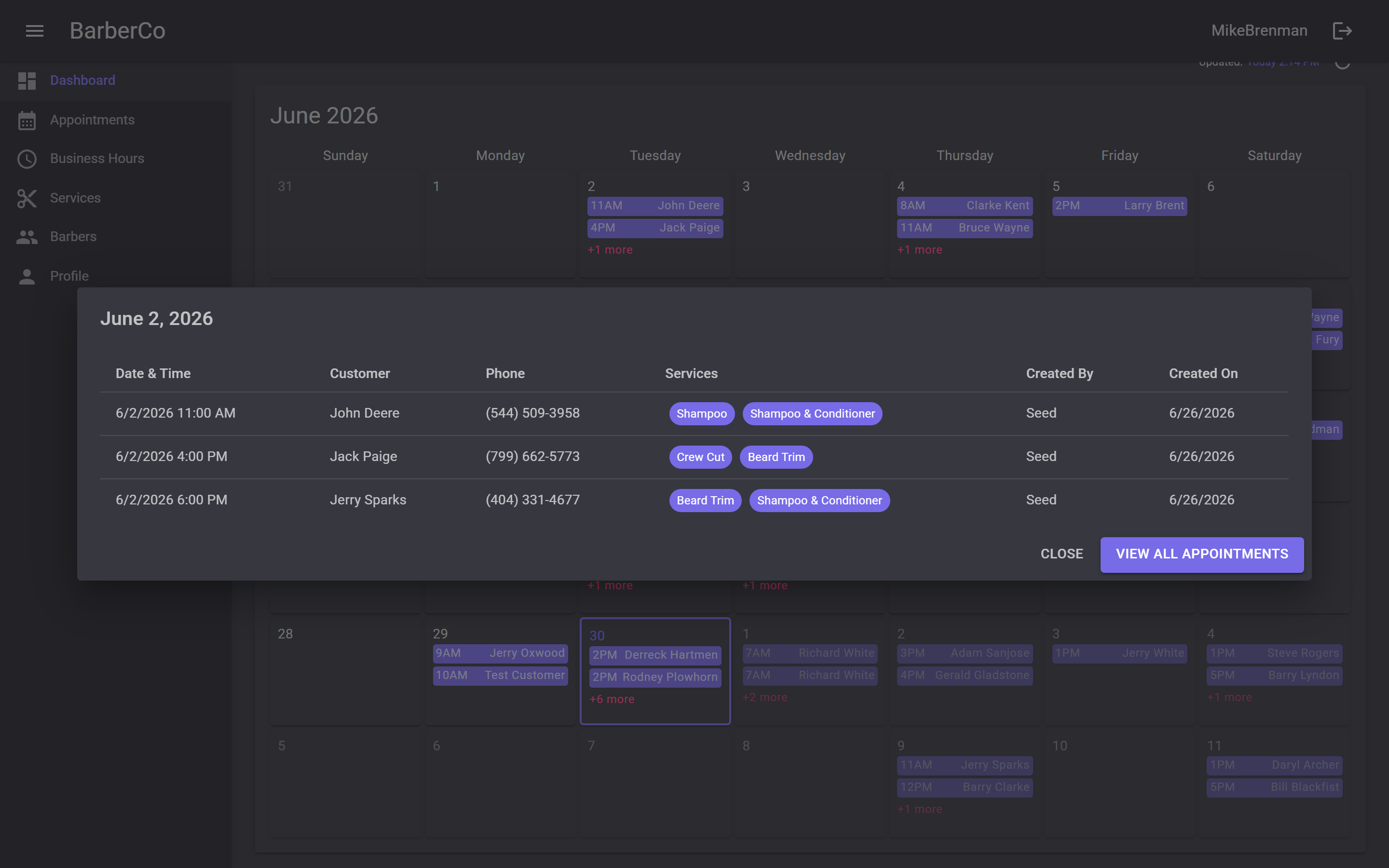
Drill into any day
Clicking a day on the calendar opens a detailed view of every appointment that day — customer name, phone, services booked, who created it, and when. Staff can scan the full schedule without leaving the dashboard, or jump straight to the full appointments list from there.
Appointment management
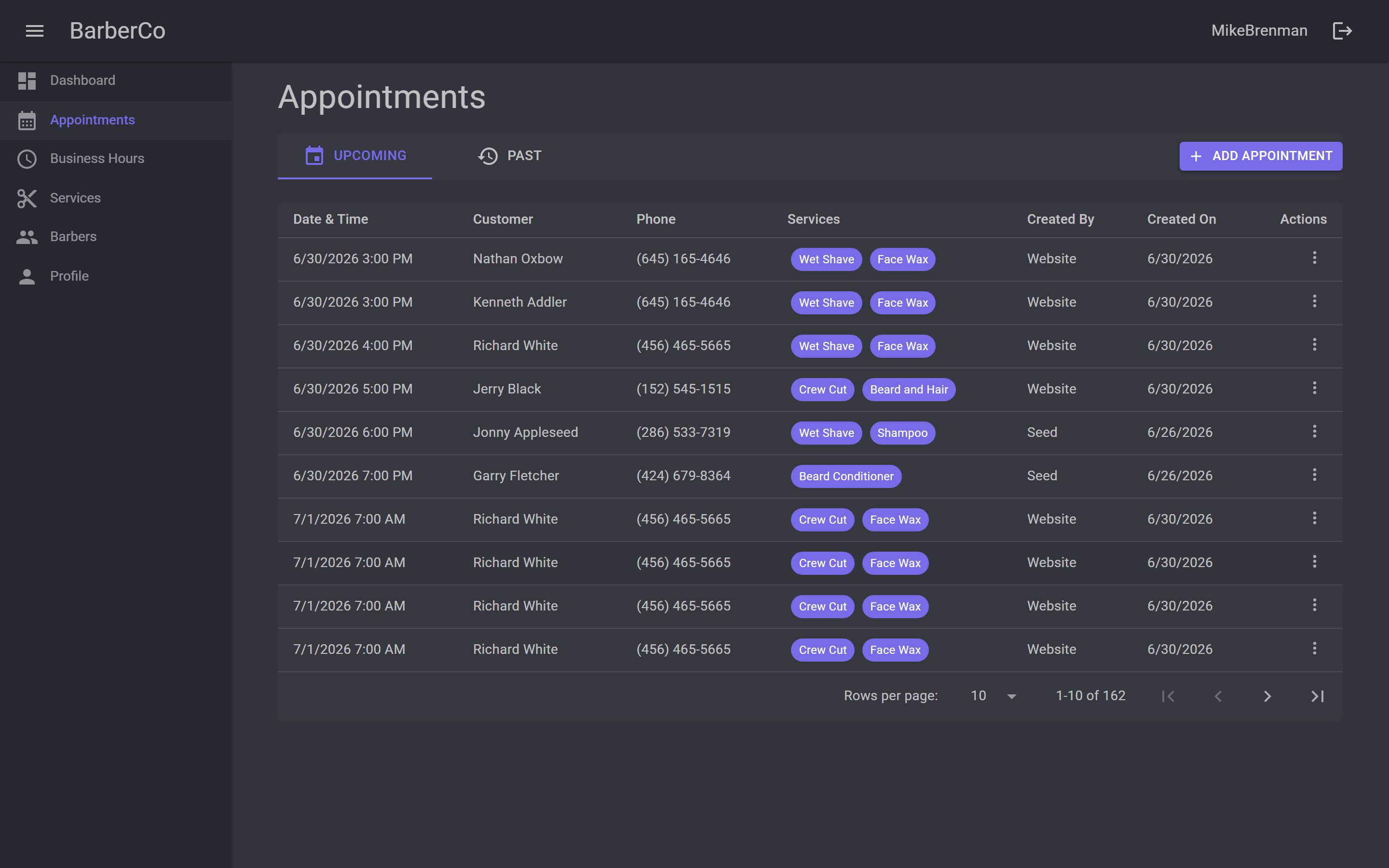
The dedicated Appointments page is where staff do the heavy lifting: a sortable, paginated table of every booking with Upcoming and Past tabs. Each row shows the customer, phone, services (as tags), who created the appointment, and row actions for view and delete. New appointments can be added directly from here — useful for walk-ins or phone bookings.
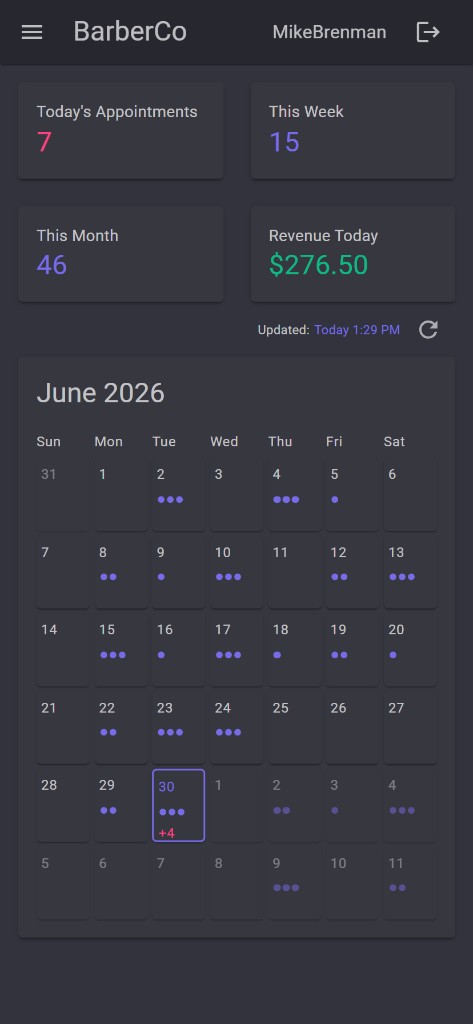
Responsive & mobile-ready
The dashboard adapts cleanly to smaller screens. On mobile the sidebar collapses behind a hamburger menu, the summary cards stack vertically, and the calendar compresses into a compact dot-based view — so staff can check the schedule from their phone without a dedicated native app.
Offline capability
Because the app is a Progressive Web App, the shell loads from cache even without a network connection. On top of that, the most recently fetched day of appointments is stored in browser local storage — so when connectivity drops, the dashboard falls back to that cached snapshot instead of showing an error.
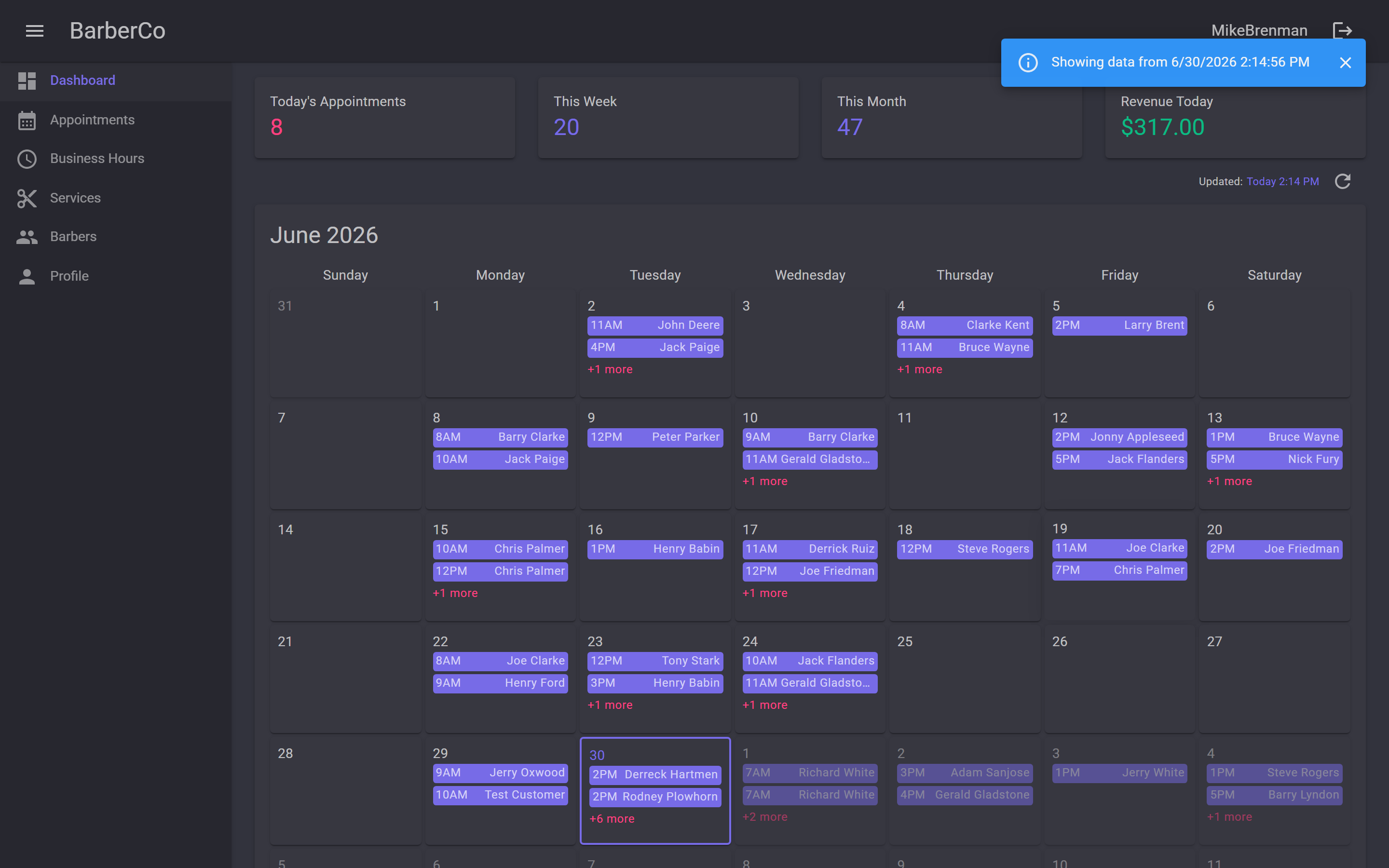
The banner makes it clear the data may be stale, but staff can still see who is booked and when. The moment connectivity returns, a refresh pulls the live schedule back in.